


TL;DR: You don't need participants' email addresses to reward them for an anonymous survey. Give each eligible respondent a unique Gift Link, and keep the links and reward records separate from their survey answers.
Anonymous survey incentives let you reward respondents without compromising the privacy of their answers. With unique gift card links, you can even distribute those rewards without sharing participants' email addresses with your rewards provider.
The tricky part is making sure your online survey incentive doesn't compromise the anonymity you've promised. Even something as simple as keeping reward links and survey responses in the same spreadsheet could allow someone to match respondents to their answers.
In this guide, we'll cover three practical ways to send anonymous survey rewards, depending on what contact information you have. We'll also look at how to track rewards and keep the records you need without compromising your participants' privacy.
If you're a researcher, survey manager, or HR professional who wants to know how to give respondents gift cards without compromising the anonymity you've promised them, keep reading.
What makes an incentivized survey anonymous?
Before you decide how to send survey incentives, it's worth being clear about what you're actually promising respondents. Survey responses are anonymous when no one, including your research team, can reasonably determine which person gave which answers.
That doesn't necessarily mean you can't know who took part in the research.
For example, you might already have a list of customers or employees you've invited to participate, or you might have to collect their email addresses separately so you can send them a digital gift card. You can still keep their answers anonymous, provided there's no way to connect that contact information to individual responses.
The important distinction is whether someone could still be identified. For example, if you use participant IDs that can be matched to a separate contact list, the responses are considered pseudonymous, rather than anonymous. You can still protect that information and keep the responses confidential, but you shouldn't promise participants complete anonymity.
This is also where personally identifiable information (PII) comes in.
The National Institute of Standards and Technology (NIST) defines PII as information that can identify someone on its own or when combined with other details. Names and email addresses are obvious examples, but IP addresses, demographic information, and even survey answers can sometimes identify someone, too.
That's why it's worth checking what information your survey platform collects, even when you're using its anonymous survey settings.
Qualtrics, for example, collects IP addresses by default when you use an anonymous survey link, unless you enable its Anonymize Responses setting (source*).
And when rewarding research participants while protecting their sensitive data, there's a good reason to keep as much PII as possible out of your rewards system, too.
Like we'll cover next, unique reward links can help you keep respondents' contact details out of your rewards system, but they won't make a survey anonymous on their own. You still need to make sure nothing in your survey responses or reward records could identify who gave which answers.
*One qualification: According to Qualtrics at the time of publication, the anonymization setting doesn't prevent someone from identifying respondents through identifying information they've written in their answers or through combinations of demographic details.
How do you send anonymous survey incentives without sharing respondent emails?
The best way to send anonymous survey incentives without sharing respondents' email addresses with your gift card provider depends on how you're running the survey and what contact information you already have.
If you don't want to share those details with the provider you're working with, you can distribute them yourself using unique gift card links.
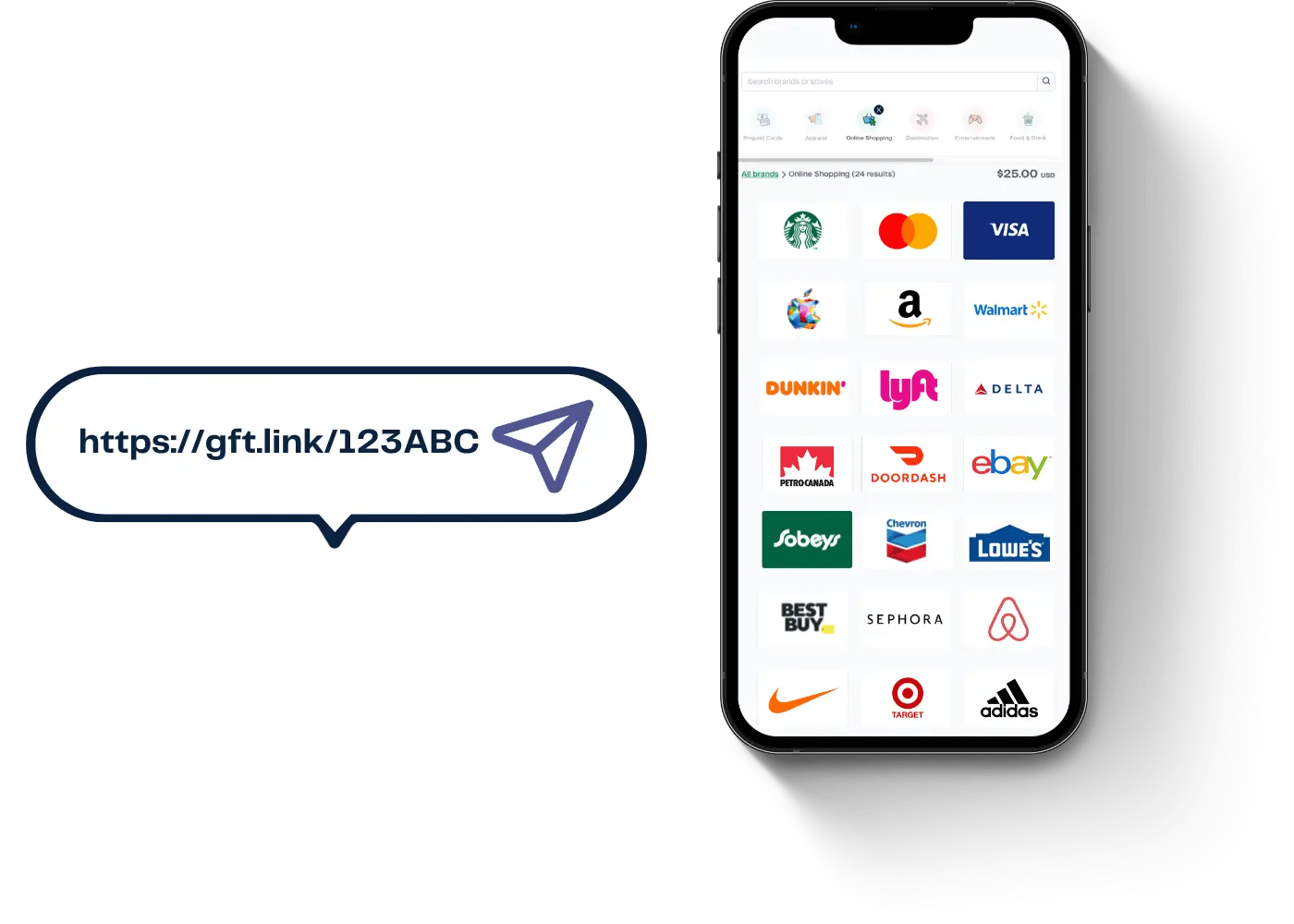
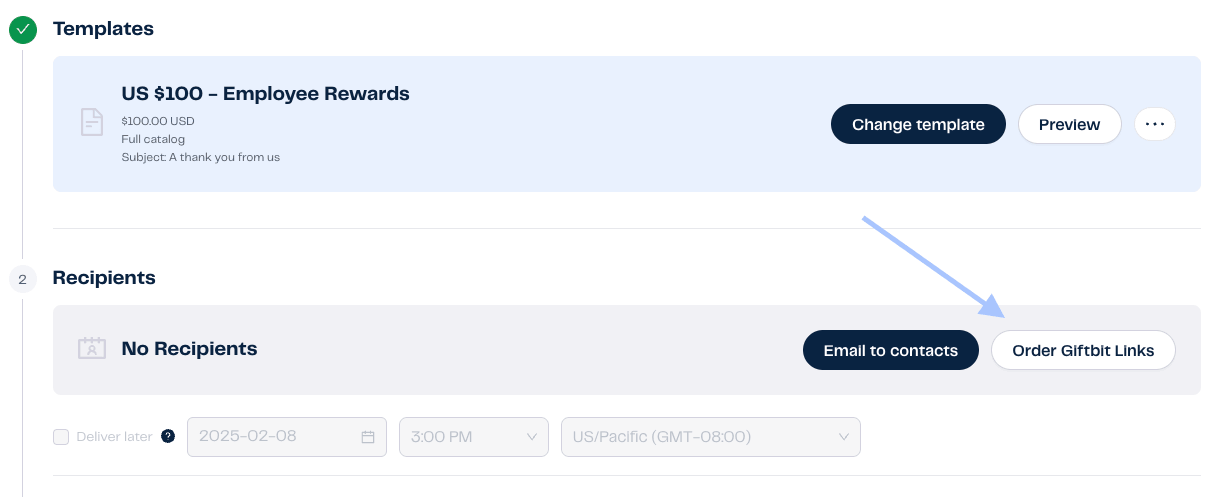
For example, with Giftbit's Gift Links, you can order a batch of individual incentive links and receive them in a CSV file.
From there, you can send them through your own email or texting tools, add them to the end of a survey, or turn them into QR codes for in-person participants. You can assign a different link to each eligible respondent, and you never have to share your contact list with Giftbit.
Important: Gift Links let you distribute rewards without providing Giftbit with your respondents' names or email addresses. That doesn't mean no personal information is ever processed. Some rewards require additional details when claimed, and technical information such as IP addresses may still be collected when recipients access the service.
Here are three common scenarios, including how to handle rewards when you don't have any contact details at all.
1. When you have no respondent contact details
This is probably what most people picture when they think of an anonymous survey. Maybe you share a public survey link on social media, through a community partner, or on a flyer with a QR code. Anyone can take part, and you don't collect their names or email addresses.
Since you won't have a way to contact participants afterward, you'll need to give them their rewards directly when they finish. One option is to show each person a unique Gift Link on the survey's final page. For an in-person survey, you could also hand participants a printed card with their own reward QR code.
The important part is ensuring everyone gets a different link. You can't just paste the same Gift Link onto a standard survey thank-you page, since each link is good for one reward. Your survey needs a way to assign a different link to each eligible respondent.
Depending on your survey platform, you may be able to set up a system that assigns links from a CSV file, or you could use a gift card API integration to generate rewards when surveys are completed.
Either approach takes some setup, so it's worth testing the process before your survey goes live.
You'll also want to keep those reward links out of your survey response records. If someone later provides identifying information when claiming their reward, you don't want their link code to give anyone a way to trace them back to their answers.
One other thing to plan for is duplicate submissions. With a public survey, someone could potentially complete it several times to collect multiple rewards. Most survey platforms offer fraud-prevention tools, but these aren't foolproof, and stricter checks may require collecting more respondent information.
2. When your research team already has contact details
Not every anonymous survey goes out to strangers. You might be surveying existing customers, employees, or members of a research panel whose contact information you already have. An anonymous employee engagement survey is a good example here.
In these situations, it's possible to know who has completed a survey without knowing how they answered the actual questions.
For example, Qualtrics lets you track completion through individual survey invitations while using its anonymization settings to prevent responses from being connected to specific contacts (according to Qualtrics at the time of publication, the Anonymize Responses setting must be enabled).
If you're using Qualtrics, make sure those settings are enabled before collecting responses. Turning them on later won't remove all identifying information from responses already submitted.
Once you know who's finished, you can send their rewards using the contact information you already have. With Gift Links, that could mean matching each eligible respondent to a unique link and sending it through your own email or text messaging tool, without uploading your contact list to Giftbit.
You can also keep a separate record of which link went to which person. That's helpful if someone loses their reward and needs you to resend it, or if you want to check whether it's been claimed.
3. When you collect contact details separately for fulfillment
What if you don't have respondents' contact information, but you still want to email or text their rewards afterward?
One option is to direct participants to a separate form when they finish the survey. That form can collect only the information you need to send their gift card, such as an email address or phone number. This way, you don't have to ask for those details in the survey itself.
The important thing is to keep the two forms genuinely separate. They shouldn't share participant IDs, hidden fields, or URL parameters that could connect someone's contact details to their answers.
Note that even with separate forms, submission timestamps can sometimes be matched to identify respondents. You'll want to limit access to those records and consider separating the collection and fulfillment processes. That way, there'll be no straightforward way to connect someone's contact details to their answers.
Once you've collected the contact details, you can send Gift Links through your own email or texting system. That way, you don't have to upload respondents' contact details to your rewards provider.
Or, if your organization allows you to share contact details with a provider, the platform can deliver the gift cards directly.
If you're using Qualtrics, you can also connect it to Giftbit through Zapier to automate reward emails without a custom integration. For example, a new survey response can trigger a Giftbit reward, provided your workflow has the recipient's email address. Just remember that this approach shares that email address with Giftbit, so it's different from distributing Gift Links yourself. You'll also need to make sure the automation doesn't create a way to connect recipients to their survey answers.
Our guide to bulk gift cards for research participants explains how these two approaches compare.
Either way, you'll need some basic records to confirm who received a reward and whether it was claimed.
Just keep those records separate from the survey responses, limit access, and delete any contact information you no longer need under your organization's privacy policies or research requirements.

| Setup | How respondents get their reward | What to track |
|---|---|---|
| No contact details | A unique Gift Link appears at the end of the survey, or is handed out as a printed QR code. | Which links were issued and claimed, without connecting them to survey responses. |
| You already have contact details | Send Gift Links through your own email or texting tools. | Who was assigned each link and whether it was claimed, keeping these records separate from survey answers. |
| You collect contact details separately | Send links using the details collected through a separate form, or have your provider deliver them if approved. | Contact details, reward links, and claim status, stored separately from survey responses. |
What to check before sending anonymous survey incentives
Once you've figured out how you'll distribute rewards, there are a few other things worth sorting out before your survey goes live, which we'll cover next:
Decide who qualifies for a reward
First, be clear about what someone needs to do to earn their incentive. Does everyone who completes the survey get a reward? Do they need to pass a screening question or meet another requirement first?
Where possible, use your survey platform's completion status or eligibility rules to determine who qualifies. For example, if you're rewarding only people who finish the entire survey, you may be able to use the platform's end-of-survey logic to trigger the reward process automatically.
That way, you don't need someone manually reviewing individual survey answers to decide who gets paid. Just make sure the information used to confirm eligibility doesn't create a way to connect respondents' identities to their answers.
Make sure respondents know how to save their rewards
This is particularly important when you're running a completely anonymous survey and you don't have any contact details.
⚠️ If someone receives their reward link on the survey's final page, encourage them to claim it right away or save it somewhere private. Anyone with the link can access it, so respondents should treat it like cash and avoid sharing it.
It's worth explaining this before participants finish the survey, too. You don't want someone to accidentally close the page and realize afterward that they have no way to get their gift card back.
And if the reward you've chosen requires recipients to provide any personal information when claiming it, let them know ahead of time.
Depending on your platform, some prepaid cards, for example, require registration details even when the original reward was sent without collecting an email address.
Have a plan for lost or unclaimed rewards
Even with a well-organized survey, some rewards will go unclaimed, and someone may occasionally lose their link.
If you already have respondents' contact information and know which link was assigned to each person, you can check whether their reward has been claimed and resend the same link through your own email or texting system. With Giftbit, for example, you can check a link's status in Reward History without connecting it to someone's survey answers.
Of course, when you're running a survey without collecting any contact details, things get trickier. If a respondent loses their link and you have no way to identify which one they received, you generally can't retrieve it for them.
You'll also want to think about claim deadlines, especially when you're running an anonymous survey. After all, someone who's taken the time to complete your research has earned their incentive, and you don't want them to miss out simply because they didn't claim it right away. This matters even more when you have no way to contact respondents with a reminder (i.e., when you don't know their email).
That's why we'd generally recommend giving participants plenty of time to claim their rewards. Giftbit's standard rewards stay available until claimed, while promotional rewards let you set a claim period of 1 to 365 days.
Regardless, whichever you choose, make sure respondents understand any deadlines before they take the survey, so they know how long they have to collect their gift.
What should you record, and what should you keep separate?
Even when you're running an anonymous survey, you'll still need to keep some records of the incentives you've sent. After all, someone in Finance will probably want to know how much you've spent, how many rewards were claimed, and what happened to the rest.
The good news is you can track all this without looking at anyone's survey answers. 🙌
The key is to make sure nothing in your reward records could be used to identify individual responses.
For example, imagine you have one spreadsheet with respondents' answers and another with their email addresses and reward links. If both contain the same participant ID, someone with access to those files could match them up and figure out who gave which answers. Simply storing the information in two different places doesn't make it anonymous.
So what should you actually record? Depending on how you're running your survey, your reward records might include:
- Reward link code: The unique identifier for each gift card link.
- Reward value and type: What you offered and how much it was worth.
- Date issued: When you gave the reward link to the respondent.
- Eligibility: A general reason for issuing the reward, such as "completed survey."
- Claim status: Whether the recipient has claimed their reward.
- Contact information (if applicable): Only when you already have those details or collect them separately to deliver incentives.
Giftbit's Reward History lets you see which Gift Links have been created and which have been claimed. Instead of displaying a recipient's email address, the delivery column shows the link code. That's particularly useful when tracking research incentives, because you can account for your rewards without uploading respondents' contact information to Giftbit (just remember that "claimed" means someone has selected their gift card, not necessarily that they've spent it).
One distinction is worth remembering, though. If you're sending Gift Links through your own email or texting system, you'll need to track delivery on your side. Giftbit can tell you whether a link has been claimed, but it won't know whether your message actually reached the recipient.
⚠️ And while we're talking about keeping records, always treat your CSV of unused reward links like cash:
-
Anyone who gets hold of a valid link could claim the reward, so store the file somewhere secure and limit access.
-
If possible, have different people manage survey responses and reward distribution, so there's less chance of someone accidentally connecting the two.
Finally, think about how long you'll need to keep everything.
Your finance department may need payment records, while your institutional review board (IRB) or privacy policies may have specific requirements for storing or deleting participant information. It's worth sorting that out before you start collecting responses, rather than figuring it out after the rewards have gone out.
Giftbit can help you send anonymous survey incentives for a wide variety of use cases.
Create a free account to get started, or book time with us if you'd like help setting up a privacy-friendly reward workflow.
Send anonymous survey incentives
Check out the Giftbit Overview to learn how you can easily send and track rewards, or create a free account to start sending today.

Order unique Gift Links
Choose your rewards and order a batch of individual links. You'll receive them in a CSV file.
Distribute and track
Give each eligible respondent their own link, without sharing their contact details with Giftbit. Track claims separately from survey answers.


